
Ever landed on a website and felt lost or frustrated? Maybe the text was tiny, buttons were hard to find, or it took forever to load. Most people leave fast when that happens.
Your website is often the first interaction someone has with your business. Fort Worth website design plays a big role in whether visitors stay engaged or leave before they even call or fill out a form.
But here’s the good news: making your website lead-friendly doesn’t have to be complicated. It’s about clarity, speed, and usability.
In this guide, you’ll learn:
- Why design affects conversions more than you might think
- How UX and mobile optimization can increase leads
- Tips to make content and design work together
- Simple ways to test and improve your site over time
By the end, you’ll have practical steps to get more leads from your website without overhauling everything.
For more on digital marketing strategies that can complement your website improvements, check out Boost Your Business with Fort Worth Digital Marketing Strategies.
Why Web Design Matters for Conversions
People judge websites fast. Really fast. Some research shows first impressions form in less than a second. If your site feels messy or confusing, visitors leave immediately.
UX Matters More Than You Think
UX stands for user experience. It’s about how easy it is for someone to get what they need on your website.
Ask yourself:
- Can a visitor find your contact info quickly?
- Is your service list easy to scan?
- Are the next steps obvious, like “Call now” or “Request a quote”?
Even small improvements in UX can dramatically increase leads.
Tip: Walk through your website as if you’ve never seen it before. Is it clear what you do and how to contact you? Fix the confusing parts first.
Action step: Take five minutes to click through your homepage. Note any spots that feel confusing or slow. Those are your priority fixes.
You might also want to review Fort Worth UX Design Transform Your Site into a Conversion Machine for deeper insights into improving user experience.
Core UX and Design Elements That Drive Leads
Design decisions can directly influence whether a visitor becomes a lead. Here’s what matters most.
Page Load Speed
Slow websites are a conversion killer.
- Just one extra second in load time can reduce conversions by 7%
- Mobile users are less patient than desktop users
How to fix it:
- Compress images without losing quality
- Remove unnecessary scripts and plugins
- Use a fast hosting service
Quick test: Open your website on a phone. Does it feel sluggish? If yes, speed improvements should be your first step.
Action step: Run a free speed test online and prioritize fixes based on the results. Check out Fort Worth Website Speed Optimization for Growth for actionable tips.
Clear Navigation
Confusing menus make visitors leave.
- Keep menus short and simple: Home, Services, About, Reviews, Contact
- Use logical labels that match what visitors are looking for
- Avoid burying important pages under multiple clicks
Tip: Less is more. The easier your site is to navigate, the more likely visitors will reach your lead forms.
Action step: Look at your menu and remove anything unnecessary. Make sure every important page is reachable in two clicks or fewer. For guidance on creating effective navigation, see Website Design Fort Worth: Turn Your Site into a Sales Machine.
Visual Hierarchy and CTA Placement
Your design should guide the eye naturally.
- Use whitespace to separate content
- Highlight important actions with contrasting colors or buttons
- Place CTAs where visitors are most likely to notice them
Pro tip: Have multiple CTAs for different types of visitors. Some may want to call immediately, while others prefer to request a quote.
Action step: Check your homepage. Are CTAs visible without scrolling? If not, move them above the fold. Consider reviewing Website Design Fort Worth: 3 Proven Steps to Attract More Leads Online for CTA placement ideas.
Trust Signals
Visitors need reassurance before they act.
- Show testimonials or reviews
- Include photos of work or your team
- Highlight certifications, awards, or associations
Tip: Trust signals reduce hesitation. The more proof people see, the more likely they are to take the next step.
Action step: Add at least one testimonial or proof element to every page with a lead form. Learn more at Websites Fort Worth Businesses Trust to Convert.
Mobile Optimization

Most people use mobile devices to search for services. If your site isn’t mobile-friendly, you’re losing leads.
Mobile-First Design
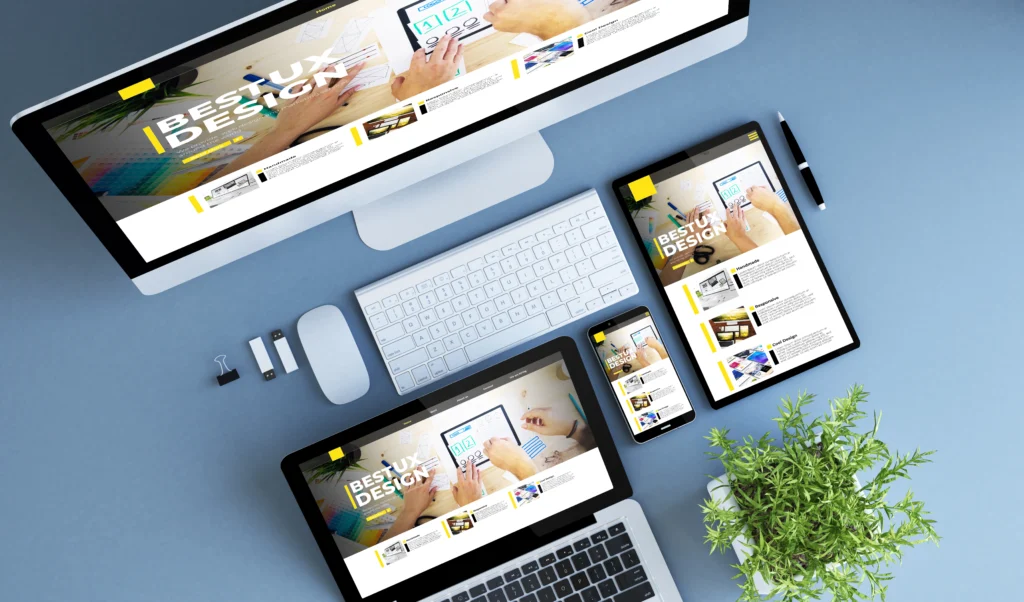
Google favors mobile-friendly sites in search results. A responsive design ensures your website looks good and works well on any screen.
- Big buttons are easier to tap
- Readable text without zooming
- Simplified forms for quick action
Tip: Mobile users should be able to do everything a desktop user can — without frustration.
Action step: Open your website on a phone. Can you navigate, read content, and submit forms easily? Check Fort Worth Mobile-Friendly Website Guide to Support Local Business Success for mobile design best practices.
Mobile UX Best Practices
- Keep essential info at the top
- Minimize scrolling for CTAs and contact info
- Avoid large images that slow the site down
Pro tip: Click-to-call buttons or contact widgets can increase leads dramatically.
Action step: Add a click-to-call button if your site doesn’t already have one.
Content + Design: Working Together
Design alone isn’t enough. Your content has to be clear, easy to read, and actionable.
Clear Copy
- Use short sentences and plain language
- Highlight your value proposition at the top of the page
- Use bullet points for easy scanning
Tip: Visitors often skim. Make it easy for them to understand what you offer quickly.
Action step: Rewrite at least one page of your website using bullets and short sentences. Also see Fort Worth Content Marketing That Builds Connection & Growth for copywriting tips that complement design.
Easy Forms
Long forms scare people away. Keep forms simple: name, email, phone, and a short message.
- Break long forms into steps if necessary
- Consider alternatives like click-to-call or chat widgets
Action step: Review your forms and remove any non-essential fields. Test them to make sure they’re easy to complete. Learn more at Fort Worth Form Optimization That Delivers Results.
Visual Consistency
- Keep colors, fonts, and images uniform
- Helps your business look professional
- Builds trust with visitors
Action step: Review your website’s visual style. Make sure fonts, colors, and images match across all pages.
Testing and Improving Your Site
Even a good website can improve. Testing and tracking are key.
Try A/B Testing
- Test different headlines, button colors, and layouts
- See which version gets more clicks and leads
Track Metrics
- Bounce rate
- Time on page
- Conversion rate
- Mobile vs desktop behavior
Keep Iterating
Small improvements over time add up. Don’t expect perfection on day one.
Action step: Pick one page to test first. Try a new CTA or button color and track results. You can also reference Fort Worth CRO for Service Providers | 5 Proven Hacks for optimization ideas.
Common Mistakes That Kill Conversions
Watch out for these:
- Slow websites
- Cluttered pages
- Hard-to-use mobile sites
- Hidden or weak CTAs
- Long forms or confusing menus
- Missing testimonials or proof elements
Fixing these mistakes can improve leads without a full redesign.
Action step: Make a list of which mistakes apply to your site and tackle the easiest ones first. See Fort Worth Web Design Tips to Boost Sales for common pitfalls and fixes.
Quick Action Checklist
- Check page speed (<3 seconds)
- Make your site mobile-friendly
- Simplify navigation
- Place clear CTAs
- Add trust signals
- Use short, scannable copy
- Simplify forms or use click-to-call
- Maintain visual consistency
- Track performance and test changes
Key Takeaways
- First impressions matter. Clear design can increase conversions.
- UX, speed, and mobile optimization drive leads.
- Trust signals and simple forms make visitors comfortable taking action.
- Testing and small improvements over time keep your site performing.
- Even minor changes can result in more leads.
Conclusion
Your website is more than a digital brochure. It’s where visitors decide whether to contact you.
Focus on clarity, speed, mobile usability, and trust. Make forms easy and buttons obvious. Add proof that you’re reliable.

Small, thoughtful changes can make a big difference in the number of leads you get. Take one step today: review your homepage, check your forms, or test your CTAs.
Want a simple review of your website? Check out Website Design Fort Worth: Find Your Perfect Growth Partner to see how we help small businesses improve conversions.
💬 What our clients say:
I had an amazing experience with this team. They did an awesome Job. I would recommend anyone who needs a website design. Go MB Marketing LLC! – Murama Rugumanya ⭐️⭐️⭐️⭐️⭐️
FAQs
Q1: Can redesigning a website really increase leads?
Yes. Even small UX, mobile, and CTA improvements can double conversions.
Q2: Do I really need mobile optimization?
Absolutely. Most people search for services on mobile. If your site isn’t mobile-friendly, you’re losing leads.
Q3: Should I focus on content or design first?
Both. Design grabs attention, content keeps people engaged. Together, they convert visitors into leads.
Q4: How often should I update my website?
Regularly. Test new buttons, headlines, and layouts to see what works best.
Q5: What mistakes hurt conversions the most?
Slow speed, cluttered layout, weak CTAs, long forms, and missing trust signals. Fix these first.
References
Ecommerce Fastlane: The Impact Of Web Design On Conversion Rates: An Empirical Study